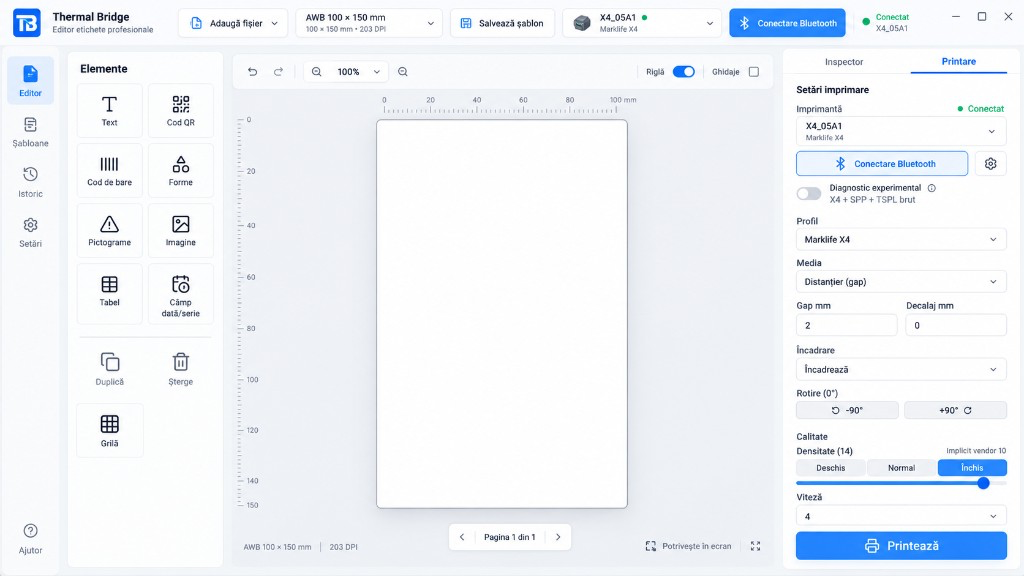
Label editor
Create labels exactly as you want, with text, images, shapes and dynamic fields.
Desktop app for thermal labels
ThermalBridge helps you create and print labels, shipping AWBs and barcodes from your computer. Simple, fast, local. No subscription.
USB / Bluetooth / Network
Connect and print quickly
AWB 100 × 150 mm
Popular formats included
No subscription
Pay once
Works with Marklife X4 and more
100% local
Your data stays on your computer.
No subscription
Pay once, no monthly fees.
USB / Bluetooth / Network
Connect and print immediately.
Wide compatibility
Marklife X4, Phomemo M110 and TSPL.
Everything you need in a single app
From simple labels to complex AWBs. All in a modern, intuitive interface.
Create labels exactly as you want, with text, images, shapes and dynamic fields.
Use popular formats or create your own reusable templates.
Save labels and reuse them quickly, without starting from scratch.
Import AWBs and PDF documents directly for fast printing.
Automatically generate barcodes, QR, DataMatrix and more.
Smart settings for fast, accurate printing without the hassle.
How it works
Professional labels are only a few minutes away.
Download the app for your operating system and install it in seconds.
Over USB, Bluetooth or network. The app detects your printer automatically.
Create the label, pick the settings and print. Done.
Compatibility
Compatible printers
Marklife X4, Phomemo M110, TSPL 203 DPI and Canon inkjet via the OS queue. D210 and P50 are planned.
AWB / PDF workflows

 Sameday



Connect Sameday, Fan Courier or Cargus in the app for AWB API. DPD, GLS and eMAG stay PDF import until their adapters ship.
Online shop
Choose the right printer for your business. Every product is tested and compatible with ThermalBridge.
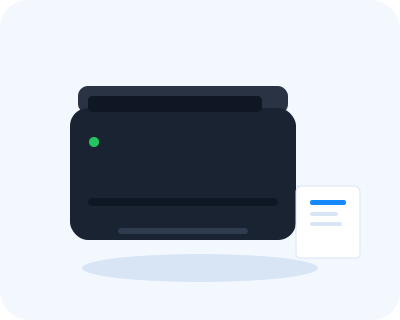
TSPL/TSC · 203 DPI
Price — coming soon
ESC/POS raster · 203 DPI
Price — coming soon
ESC/POS raster · 203 DPI
Price — coming soon
Cash on delivery
Pay the courier, no online payment
Tested products
Compatible with ThermalBridge
14-day returns
As required by EU law
Dedicated support
Questions? We are here.
Used by
Built for online shops, retail, warehouses and logistics.
Print AWBs and shipping labels in seconds.
Price tags, barcodes and shelf labels.
Organize stock with clear, durable labels.
Faster processes and fewer shipping errors.
Desktop app
Download the ThermalBridge desktop app and print labels, AWBs and barcodes from your computer. Simple, fast, local. No subscription.
From idea to label, in a few seconds.
Download freeVersion 1.2.3 | No subscription
FAQ
Find quick answers to the most common questions about ThermalBridge.
Yes. The desktop app is free to download for macOS, Windows and Linux. There is no subscription and no cloud account.
Marklife X4, Phomemo M110, M120 and M220, generic TSPL 203 DPI printers, and Canon inkjets via the OS queue. Marklife D210 and P50 are planned.
Connect Sameday, Fan Courier or Cargus in the app for AWB API. DPD, GLS and eMAG stay PDF import or a 100 × 150 mm AWB template until their adapters ship.
Yes. The same editor is available natively for macOS, Windows and Linux.
Not for printing. You work 100% locally. Internet is only needed to download the app or updates.
Yes. Use the template gallery or save the current label as a template and reuse it anytime.